Trading Tools

Articles (8)

A complete guide to stop loss orders on ThinkTrader
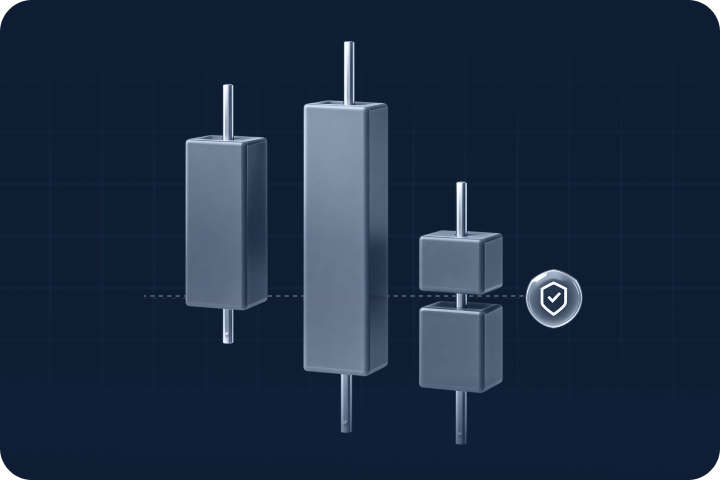
<p>Stop loss orders are one of the most important tools in trading. They allow you to define risk before entering a position, protect capital during volatility and maintain discipline in changing market conditions.</p> <p>On ThinkTrader, we offer three types of stop loss orders: standard stop loss, trailing stop loss and guaranteed stop loss. Each serves a distinct purpose, giving you the flexibility to manage risk according to your strategy and market environment.</p> <p>This guide explains how each stop type works and how you can apply them effectively.</p> <h2>Key takeaways</h2> <ul> <li>ThinkTrader offers standard stop loss, trailing stop loss and guaranteed stop loss</li> <li>Each stop type supports a different risk management objective</li> <li>Standard stop loss provides simple, predefined risk control</li> <li>Trailing stop loss automatically adjusts your stop level based on market movements</li> <li>Guaranteed stop loss removes slippage risk during high volatility</li> <li>All stop types are accessible directly from the order ticket in ThinkTrader</li> </ul> <h2>What is a standard stop loss?</h2> <p>A standard stop loss is a predefined price level at which your position automatically closes if the market moves against you.</p> <p>It remains fixed at the price level you select. Once triggered, the trade closes at the next available market price.</p> <p>A standard stop loss helps you:</p> <ul> <li>Define your maximum acceptable loss before entering a trade</li> <li>Maintain discipline during volatile conditions</li> <li>Protect capital without constant monitoring</li> </ul> <p>It forms the foundation of structured risk management.</p> <h2>What is a trailing stop loss?</h2> <p>A trailing stop loss automatically adjusts as the market moves in your favour.</p> <p>Instead of remaining fixed, it follows price at a set distance. If price continues to move favourably, the stop level moves with it. If the market reverses, the position closes once the trailing distance is reached. This tool is free to use on ThinkTrader.</p> <p>This approach allows you to:</p> <ul> <li>Lock in potential gains as trends develop</li> <li>Limit downside during reversals</li> <li>Automate trade management</li> </ul> <p>Trailing stops are particularly useful in trending markets where you want to give the trade room to develop while still protecting accumulated gains. This tool is free to use on ThinkTrader.</p> <h2>What is a guaranteed stop loss?</h2> <p>A guaranteed stop loss provides certainty over your maximum risk.</p> <p>When you use a guaranteed stop loss, your position will close exactly at your chosen price level, regardless of volatility or market gaps. Even during extreme price movements, your stop level is honoured.</p> <p>This is particularly relevant:</p> <ul> <li>During major economic announcements</li> <li>In highly volatile markets</li> <li>When trading instruments prone to gapping</li> </ul> <p>Guaranteed stops involve a small premium from 0.025% on ThinkTrader, but they eliminate slippage risk and provide full control over worst-case exposure.</p> <h2>The benefits of using stop loss orders</h2> <p><strong>Defined risk exposure:</strong> All stop types allow you to determine your risk before entering a trade. This structure supports long-term consistency and capital preservation.</p> <p><strong>Improved trading efficiency:</strong> Automation reduces the need to constantly adjust positions manually, allowing you to focus on analysis and strategy development.</p> <p><strong>Reduced emotional decision-making:</strong> Setting exit levels in advance helps remove impulsive reactions to short-term price movements.</p> <p>The right one for you, depends on your goals and preferences:</p> <ul> <li>Standard stop loss suits structured setups</li> <li>Trailing stop loss supports trend-following strategies</li> <li>Guaranteed stop loss provides certainty in volatile conditions</li> </ul> <p>This flexibility ensures your risk management approach can adapt to different market environments.</p> <h2>A comparison of all three stop-loss tools</h2> <table> <thead> <tr> <th>Feature</th> <th>Standard stop loss</th> <th>Trailing stop loss</th> <th>Guaranteed stop loss</th> </tr> </thead> <tbody> <tr> <td>Stop level type</td> <td>Fixed price level set by trader</td> <td>Dynamic level that follows price at a defined distance</td> <td>Fixed price level set by trader</td> </tr> <tr> <td>Adjusts automatically</td> <td>No</td> <td>Yes, only when price moves favourably</td> <td>No</td> </tr> <tr> <td>Locks in gains</td> <td>No</td> <td>Yes, as price advances</td> <td>No</td> </tr> <tr> <td>Protects against slippage</td> <td>No</td> <td>No</td> <td>Yes</td> </tr> <tr> <td>Protection during market gaps</td> <td>No</td> <td>No</td> <td>Yes</td> </tr> <tr> <td>Best suited for</td> <td>Structured risk setups in normal conditions</td> <td>Trending markets where profits may expand</td> <td>High-impact news, volatile markets, overnight exposure</td> </tr> <tr> <td>Premium cost</td> <td>No</td> <td>No</td> <td>From 0.025%</td> </tr> <tr> <td>Risk certainty</td> <td>Subject to market execution</td> <td>Subject to market execution</td> <td>Fully guaranteed execution at chosen level</td> </tr> </tbody> </table> <h2>How to use stop loss orders on ThinkTrader</h2> <p>Setting up stop loss orders on ThinkTrader is straightforward. After selecting your instrument and opening the order ticket, you can choose your preferred stop loss type directly within the trade setup screen. Available options are clearly displayed, allowing you to configure risk before execution.</p> <ol> <li>Log in to the ThinkTrader platform on web or app</li> <li>Open the order ticket and choose your position size.</li> <li>Add a stop loss to your trade.</li> <li>Choose between standard, trailing or guaranteed.</li> <li>Confirm your order.</li> </ol> <h2>Combining stop loss orders with ThinkTrader's advanced tools</h2> <p>ThinkTrader provides you with a whole host of advanced tools and features that can help give you an edge in today's fast-moving markets. Along with stop loss tools, you can enjoy access to the following:</p> <p><strong>Advanced charting tools,</strong> powered by TradingView, include indicators such as Moving Averages, RSI, MACD and Bollinger Bands. These tools help identify trends, support and resistance levels, and potential reversal zones. Aligning stop placement with technical levels can improve risk precision.</p> <p><strong>Real-time alerts</strong> notify you of significant price movements or key levels, helping you reassess exposure when market conditions change.</p> <p><strong>Signal Centre</strong> delivers AI-enhanced trading signals that can complement your risk management strategy by highlighting high-probability setups.</p> <p><strong>Traders' Gym</strong> allows you to backtest strategies using historical market data, enabling you to refine stop placement techniques without risking capital.</p> <p>Together, these tools allow you to manage risk effectively, even during volatile market conditions and ensuring you can focus on maximising your trading performance.</p> <h2>Final thoughts</h2> <p>Stop loss orders are essential tools for protecting capital and maintaining consistency in your trading. Whether you choose a Standard Stop Loss for simplicity, a Trailing Stop Loss for automated protection, or a Guaranteed Stop Loss for certainty during volatility, ThinkTrader provides the flexibility to align risk management with your strategy.</p> <p>Ready to get started? Log in to ThinkTrader today and explore the full range of stop loss options on ThinkTrader. Don't have an account? <a href="https://www.thinkmarkets.com/en/account-types/">Create one here</a> and join thousands of global traders who use ThinkMarkets as their go-to broker.</p>

How do traders choose an alternative to MetaTrader?
<p>Traders choose an alternative to MetaTrader when they want a more modern interface, better mobile access, and more powerful trading tools and features that go beyond standard platform functionality.</p> <p>Traders have two choices when looking for a platform: Third-party platforms like MetaTrader 4/5 or cTrader, or trade on a broker's proprietary trading platform.</p> <p>Third-party platforms are the simplest option, as most brokers support them and traders can switch to another broker without changing platforms. However, they often have limited charting functionality and rely on outdated technology.</p> <p>For those reasons, the recommended path for traders is to use a <a href="https://www.thinkmarkets.com/">online trading broker</a> like ThinkMarkets that offers its own advanced proprietary trading platform.</p> <p>ThinkTrader could be the best option. Unlike third-party platforms, ThinkTrader is a complete trading platform built for traders by traders. That means:</p> <ul> <li>Modern and powerful charting functionality, powered by TradingView</li> <li>Access to up to 4,000 instruments across forex, indices, commodities and more</li> <li>Exclusive risk management tools like <a href="https://www.thinkmarkets.com/en/trading-academy/forex/forex-backtesting-validate-currency-strategies-before-risking-capital/">Traders' Gym for backtesting</a> and TrendRisk Scanner for trading opportunities</li> <li>Multi-screen display, with up to 8 screens on web and 4 screens on mobile</li> <li>Seamless access on web or mobile on iOS and Android</li> </ul> <h2>Decide what type of trading platform you want</h2> <h3>Third-party platforms (simplest option, but less user friendly)</h3> <ul> <li>Easy to access and widely available among different CFD brokers</li> <li>Downside: Clunky interface and difficult to use with less advanced tools</li> </ul> <h3>Proprietary trading platforms (recommended for improved functionality)</h3> <ul> <li>More advanced technology and an easier-to-use interface</li> <li>Requires trading with the broker that owns the platform</li> </ul> <h2>Assess the available options</h2> <h3>Third-party platforms</h3> <p><strong>MT4:</strong> A tried and tested platform offering basic charting and technical analysis tools along with Expert Advisor compatibility, but utilises outdated technology and a less intuitive interface.</p> <p><strong>MT5:</strong> The latest MetaTrader platform with improved trading tools, wider market access and Expert Advisor compatibility, but remains complex and can be overwhelming for less experienced traders.</p> <p><strong>cTrader:</strong> Offers a clean, modern interface with basic charting tools, but isn't as widely used by traders or offered by brokers compared to MetaTrader.</p> <h3>Proprietary trading platforms</h3> <p><strong>ThinkTrader:</strong> A modern, advanced trading platform available on web or app, offering exclusive tools like Traders' Gym and TrendRisk Scanner. However, it doesn't support automated trading and can only be accessed with the broker offering it, ThinkMarkets.</p> <p><strong>Other proprietary platforms:</strong> Modern trading platforms built by brokers, offering basic tools and features, but requiring traders to stay with the broker to continue using them.</p> <h2>Key platform considerations</h2> <p>When choosing a platform there a few important things to consider:</p> <p><strong>Ease-of-use:</strong> Is the platform easy to navigate and execute trades on? Does it also offer convenient access? Look for platforms that are not only available on web or desktop, but also on iOS and Android, to enable trading on the go.</p> <p><strong>Market access:</strong> Does the platform offering the markets you want to trade? Choose a platform that offers access to a wide range of instruments across multiple markets like forex, indices, stocks, commodities, and more.</p> <p><strong>Charting tools:</strong> Look for advanced, easy to use charting tools that make analysing price movements simpler. Outdated charting tools will make it more difficult to perform effective analysis and make informed trading decisions.</p> <p><strong>Risk management tools:</strong> Mitigating risk is essential to successful trading, so choose a platform that offers important tools like backtesting, stop loss and take profit orders, leverage controls, and position sizing tools.</p> <p><strong>Execution:</strong> The handling of your orders can have a big impact on overall trade performance. Always ensure you a choose a platform with fast execution speeds (under 150ms), high fill rates, and strong platform uptime.</p> <h2>Why proprietary platforms like ThinkTrader can be a better option</h2> <p><a href="https://www.thinkmarkets.com/thinktrader/">ThinkTrader </a>is widely recognised across the industry as one of the leading trading platforms, supported by positive trader reviews and recognition from industry awards. With an intuitive interface, wide market access, advanced charting powered by TradingView, and exclusive trading tools, it offers everything traders need to make informed trading decisions.</p> <p>Here's how ThinkTrader's features compare to MetaTrader 4 and MetaTrader 5:</p> <table> <thead> <tr> <th> </th> <th>ThinkTrader</th> <th>MT4</th> <th>MT5</th> </tr> </thead> <tbody> <tr> <td>Number of instruments</td> <td>4,000</td> <td>350</td> <td>1,800</td> </tr> <tr> <td>TradingView charting</td> <td>✔</td> <td>✖</td> <td>✖</td> </tr> <tr> <td>Traders' Gym</td> <td>✔</td> <td>✖</td> <td>✖</td> </tr> <tr> <td>TrendRisk Scanner</td> <td>✔</td> <td>✖</td> <td>✖</td> </tr> <tr> <td>Signal Centre</td> <td>✔</td> <td>✔ (download required)</td> <td>✔ (download required)</td> </tr> <tr> <td>Mobile app</td> <td>✔</td> <td>✔</td> <td>✔</td> </tr> <tr> <td>Multi-screen display</td> <td>✔</td> <td>✔</td> <td>✔</td> </tr> <tr> <td>Detachable charts</td> <td>✔</td> <td>✔</td> <td>✔</td> </tr> <tr> <td>Economic calendar</td> <td>✔</td> <td>✔</td> <td>✔</td> </tr> <tr> <td>One-click trading</td> <td>✔</td> <td>✔</td> <td>✔</td> </tr> <tr> <td>Custom watchlists</td> <td>✔</td> <td>✔</td> <td>✔</td> </tr> <tr> <td>Automated trading</td> <td>✖</td> <td>✔</td> <td>✔</td> </tr> </tbody> </table> <p>Read more: <a href="https://k13-uat.thinkmarkets.com/en/trading-academy/trading-tools/alternatives-to-metatrader-for-chart-driven-traders/">MT4 vs MT5 vs ThinkTrader</a><br /> </p> <h2 aria-level="2" paraeid="{006ceda4-26df-4d46-af09-e444e818400c}{64}" paraid="93726968" role="heading">Getting set up with the right platform </h2> <ol> <li paraeid="{006ceda4-26df-4d46-af09-e444e818400c}{70}" paraid="1964965464">Choose a platform like ThinkTrader that offers a more advanced trading experience </li> <li paraeid="{006ceda4-26df-4d46-af09-e444e818400c}{88}" paraid="1091598175">Open a <a href="https://portal.thinkmarkets.com/account/individual/" rel="noreferrer noopener" target="_blank">demo or live ThinkTrader account</a><a href="https://portal.thinkmarkets.com/account/individual/" target="_blank"> </a>with ThinkMarkets </li> <li paraeid="{006ceda4-26df-4d46-af09-e444e818400c}{106}" paraid="801129898">Meet the minimum deposit amount of $50 </li> <li paraeid="{006ceda4-26df-4d46-af09-e444e818400c}{112}" paraid="1906635592">Begin trading on web or mobile app </li> </ol>

Comparing MetaTrader with analysis-focused platforms
<p>Comparing trading platforms for technical analysis often reveals meaningful differences in how charting and workflows are prioritised.</p> <p>MetaTrader combines analysis, execution, and automation within a single interface. In contrast, analysis-focused platforms are designed to place charting and visual interpretation at the centre of the trading process. This distinction is why traders frequently compare MetaTrader with platforms that emphasise flexible layouts, deeper chart control, and visual clarity.</p> <p>Depending on trading style, these comparisons often include platforms such as <a href="https://www.thinkmarkets.com/uk/thinktrader/">ThinkTrader</a>, TradingView, cTrader, and NinjaTrader, each reflecting a different approach to technical analysis.</p> <h2>Key takeaways when comparing MetaTrader with analysis-focused platforms</h2> <ul> <li><strong>MetaTrader combines analysis and execution</strong> – Charting, trading, and automation are tightly integrated within a single, standardised interface</li> <li><strong>Analysis-focused platforms prioritise charting workflows</strong> – Layout flexibility, visual clarity, and multi-timeframe analysis are central to their design</li> <li><strong>Workflow differences matter more than features</strong> – The way charts are organised, saved, and reused often has a greater impact than indicator count</li> <li><strong>Platform choice reflects trading style</strong> – Automation-driven traders often favour MetaTrader, while chart-driven traders lean towards analysis-first or integrated platforms</li> <li><strong>Testing reveals fit quickly</strong> – Short trials highlight whether a platform supports daily analysis routines without friction</li> </ul> <h2>How MetaTrader is structured for analysis</h2> <p>MetaTrader is designed as an all-in-one trading environment. Charting, order placement, and automation tools are tightly integrated, allowing traders to analyse markets and execute trades from the same workspace.</p> <p>This structure supports a wide range of trading styles, particularly those that rely on systematic strategies or predefined rules.</p> <p>Key characteristics include:</p> <ul> <li><strong>Unified interface</strong> – Charts, indicators, and execution tools are accessed from one platform</li> <li><strong>Indicator-driven analysis</strong> – Technical studies are applied directly to charts</li> <li><strong>Automation support</strong> – Expert advisors and scripts play a central role</li> <li><strong>Standard layouts</strong> – Chart configurations prioritise consistency over flexibility</li> </ul> <p>For traders who value stability and automation, this approach can be effective. For analysis-heavy workflows, however, limitations may become more noticeable.</p> <h2>How analysis-focused platforms approach charting</h2> <p>Analysis-focused platforms tend to reverse MetaTrader's priorities by treating charting as the primary function rather than one component of a broader trading system.</p> <p>Instead of centring workflows around automation, these platforms emphasise how charts are arranged, saved, and reused across markets and timeframes.</p> <p>For example, TradingView is built around browser-based chart interaction and accessibility. ThinkTrader focuses on combining advanced charting with execution in a single, configurable workspace. Platforms such as NinjaTrader concentrate on deep analytical tools for traders who require granular control over data visualisation.</p> <p>Common traits include:</p> <ul> <li><strong>Chart-first design</strong> – Visual analysis takes precedence over order management</li> <li><strong>Workspace flexibility</strong> – Multiple charts and layouts can be saved and recalled</li> <li><strong>Native technical tools</strong> – Indicators and drawings are available without external scripts</li> </ul> <p>This design philosophy appeals to traders who spend more time analysing markets than executing trades.</p> <h2>Comparing daily charting workflows</h2> <p>The difference between MetaTrader and analysis-focused platforms becomes clearer when looking at daily charting routines.</p> <p>MetaTrader users typically work within fixed chart templates that favour uniformity. Analysis-focused platforms allow traders to build more complex workspaces, often analysing several instruments and timeframes simultaneously.</p> <p>Traders using platforms like ThinkTrader often maintain persistent layouts where chart arrangements, <a href="https://support.thinkmarkets.com/hc/en-gb/articles/11614902676497-How-do-I-add-indicators-to-a-chart-on-ThinkTrader-mobile-app">indicators</a>, and drawings remain unchanged across sessions. By contrast, MetaTrader workflows may require repeated manual adjustments when switching instruments or restarting sessions.</p> <p>Key workflow differences include:</p> <ul> <li><strong>Layout persistence</strong> – Analysis-focused platforms retain chart structures across sessions</li> <li><strong>Navigation efficiency</strong> – Switching markets and timeframes is often faster</li> <li><strong>Visual clarity</strong> – Charts are less constrained by execution-centric interface elements</li> </ul> <h2>Indicators and analytical tools</h2> <p>Both MetaTrader and analysis-focused platforms support technical indicators, but their delivery and flexibility differ.</p> <p>MetaTrader's core indicator library is functional, though traders frequently extend it through third-party scripts. Analysis-focused platforms typically reduce this dependency by offering broader native toolsets.</p> <p>TradingView provides an extensive <a href="https://www.thinkmarkets.com/uk/trading-academy/indicators-and-patterns/">built-in indicator library</a> alongside community-developed tools. ThinkTrader includes over 80 native <a href="https://www.thinkmarkets.com/uk/trading-academy/indicators-and-patterns/technical-indicators-beginners-guide/">technical indicators</a>, synchronised drawing tools across correlated instruments, and configurable timeframes. NinjaTrader emphasises advanced custom indicator development and order-flow analysis.</p> <p>Notable differences include:</p> <ul> <li><strong>Built-in coverage</strong> – Broader native toolsets on analysis-focused platforms</li> <li><strong>Script reliance</strong> – Greater dependence on external indicators within MetaTrader</li> <li><strong>Tool consistency</strong> – More uniform behaviour across asset classes</li> <li><strong>Ease of adjustment</strong> – Indicator settings are generally more accessible</li> </ul> <p>The right choice depends on whether traders prefer ready-made tools or deep customisation.</p> <h2>Platform comparison: Core analysis features</h2> <table border="1" cellpadding="8" cellspacing="0"> <thead> <tr> <th>Feature</th> <th>MetaTrader</th> <th>ThinkTrader</th> <th>TradingView</th> <th>NinjaTrader</th> </tr> </thead> <tbody> <tr> <td>Multi-timeframe charts</td> <td>Yes</td> <td>Yes</td> <td>Yes</td> <td>Yes</td> </tr> <tr> <td>Built-in indicators</td> <td>30+</td> <td>80+</td> <td>100+</td> <td>100+</td> </tr> <tr> <td>Layout persistence</td> <td>Limited</td> <td>Yes</td> <td>Yes</td> <td>Yes</td> </tr> <tr> <td>Browser-based access</td> <td>No</td> <td>Yes</td> <td>Yes</td> <td>No</td> </tr> <tr> <td>Drawing tool synchronisation</td> <td>Platform-based</td> <td>Cross-chart & device</td> <td>Cross-device</td> <td>Desktop only</td> </tr> <tr> <td>Market depth visualisation</td> <td>Basic</td> <td>Native Level II</td> <td>Limited</td> <td>Advanced</td> </tr> <tr> <td>Order placement from charts</td> <td>Native</td> <td>Native</td> <td>Via integration</td> <td>Native</td> </tr> </tbody> </table> <p><em>Features may vary by region and account configuration.</em></p> <h2>When MetaTrader may be the better option</h2> <p>MetaTrader often suits traders whose workflows revolve around automation or execution efficiency.</p> <p>It remains a practical choice when expert advisors drive decision-making, chart layouts are simple, or long-established habits prioritise familiarity over flexibility.</p> <h2>When analysis-focused platforms may be preferred</h2> <p>Analysis-focused platforms are commonly chosen when decision-making is driven primarily by chart interpretation.</p> <p>Traders who analyse multiple markets, compare timeframes extensively, or prepare scenarios in advance often benefit from platforms that prioritise layout persistence and visual clarity. Integrated platforms like ThinkTrader appeal to traders who want these analytical advantages without separating analysis from execution.</p> <h2>Common pitfalls when comparing platforms</h2> <ul> <li><strong>Feature chasing</strong> – Choosing platforms based on specifications rather than workflow fit</li> <li><strong>Overlooking layouts</strong> – Underestimating how chart organisation affects analysis quality</li> <li><strong>Switching too quickly</strong> – Expecting immediate productivity without adjustment time</li> </ul> <h2>Choosing the right analytical setup</h2> <p>Comparing MetaTrader with analysis-focused platforms is not about identifying a universally superior option.</p> <p>For chart-driven traders, the most effective platform is the one that supports visual clarity, reduces friction during analysis, and aligns naturally with how decisions are made. Understanding how each platform prioritises charting, execution, and workflow structure allows traders to choose tools that enhance rather than hinder their analysis.</p>

Top trading platforms for technical analysis
<p>Traders choose trading platforms for technical analysis based on the quality of charting tools, indicator depth, drawing capabilities, execution reliability, and how easily analysis can be performed across web and mobile.</p> <p>When selecting a platform for technical analysis, traders generally have two choices: industry-standard third-party platforms like MetaTrader or cTrader, or a broker's proprietary trading platform built specifically around advanced analysis tools.</p> <p>Third-party platforms are the simplest option, as they're widely supported by brokers and familiar to most traders. However, they often rely on legacy technology, limited native charting, and external add-ons to achieve more advanced analysis.</p> <p>For traders who prioritise powerful charting and modern technical analysis tools, the recommended path is to use a broker offering its own advanced proprietary trading platform.</p> <p><a href="https://www.thinkmarkets.com/en/thinktrader/">ThinkTrader </a>could be one of the best options. Unlike traditional third-party platforms, ThinkTrader is designed around advanced technical analysis and decision-making.</p> <p>That means:</p> <ul> <li>Advanced charting powered by TradingView</li> <li>Access to thousands of instruments across multiple markets</li> <li>Built-in risk management and analytical tools</li> <li>Multi-screen layouts for deeper analysis</li> <li>Seamless access across web and mobile</li> </ul> <h2>What Matters Most for Technical Analysis</h2> <p>When assessing a trading platform for <a href="https://www.thinkmarkets.com/en/trading-academy/technical-analysis/what-is-technical-analysis-in-trading/">technical analysis</a>, traders typically focus on five core areas:</p> <ul> <li>Charting quality and responsiveness</li> <li>Range of indicators and drawing tools</li> <li>Multi-timeframe and multi-chart analysis</li> <li>Market coverage for cross-market analysis</li> <li>Execution reliability once a setup is confirmed</li> </ul> <p>Platforms that fall short in these areas can limit decision-making, regardless of how widely used they are.</p> <h2>Types of Platforms Used for Technical Analysis</h2> <h3>Industry-Standard Platforms (Familiar, but Constrained)</h3> <ul> <li>Widely used across brokers</li> <li>Support basic indicators and charting</li> <li>Often require plugins or workarounds for advanced analysis</li> </ul> <p><strong>Limitation:</strong> Charting depth and visual analysis tools are often restricted by legacy design.</p> <h3>Charting-Focused Proprietary Platforms (Recommended for Analysis)</h3> <ul> <li>Built with modern charting engines</li> <li>Designed around visual analysis and workflow efficiency</li> <li>Tools are integrated rather than added externally</li> </ul> <p><strong>Trade-off:</strong> Access is typically tied to the broker offering the platform.</p> <h2>Platform Options Commonly Used for Technical Analysis</h2> <h3>Industry-Standard Platforms</h3> <h4>MT4</h4> <p>Supports basic technical analysis and custom indicators, but limited timeframes, dated visuals, and constrained charting make deeper analysis more difficult.</p> <h4>MT5</h4> <p>Offers more indicators and timeframes than MT4, but remains complex and less intuitive for traders focused on visual price analysis.</p> <h4>cTrader</h4> <p>Provides cleaner charts and better native tools than MetaTrader, but is less widely supported and has a smaller ecosystem.</p> <h3>Charting-Focused Proprietary Platforms</h3> <h4>ThinkTrader</h4> <p>A modern trading platform available on web and mobile, built around charting and analysis. It offers TradingView-powered charts, multi-screen layouts, and integrated analytical tools. Automated trading is not supported, and access requires trading with the broker offering the platform.</p> <h4>Other Proprietary Platforms</h4> <p>Broker-built platforms that prioritise usability and integrated charting, with varying levels of indicator depth and customisation.</p> <h2>Key Considerations When Choosing a Platform for Technical Analysis</h2> <h3>Charting Tools</h3> <p>Look for fast, responsive charts with multiple timeframes, drawing tools, and indicator flexibility.</p> <h3>Analysis Workflow</h3> <p>The ability to analyse multiple instruments and timeframes efficiently is critical for consistent decision-making.</p> <h3>Market Access</h3> <p>Wide market coverage allows technical setups to be applied across forex, indices, stocks, commodities, and more.</p> <h3>Risk and Trade Management</h3> <p>Tools like <a href="https://www.thinkmarkets.com/en/traders-gym/">backtesting</a>, stop loss and take profit orders, and position sizing support disciplined execution.</p> <h3>Execution Performance</h3> <p>Once a setup is identified, fast execution and platform stability help ensure analysis translates into results.</p> <h2>Why Platforms Like ThinkTrader Suit Technical Analysis</h2> <p>ThinkTrader is widely recognised for its focus on charting quality and usability. With TradingView-powered charts, multi-screen layouts, and integrated analytical tools, it supports traders who rely on technical analysis as the core of their trading process.</p> <h2>Getting Started with a Technical Analysis Platform</h2> <ul> <li>Identify the charting and analysis tools you rely on most</li> <li>Test platforms using demo accounts</li> <li>Evaluate chart responsiveness across web and mobile</li> <li>Commit to a platform that supports your analysis style</li> </ul>

Best alternatives to MetaTrader for chart-driven traders
<p>Chart-driven traders rely primarily on technical analysis, using price charts, indicators, and market structure to guide trading decisions.</p> <p>For traders who spend most of their time analysing price action and indicators, charting tools matter just as much as execution. While MetaTrader remains widely used, some chart-driven traders look for alternatives that better support analysis-heavy workflows.</p> <p>In discussions about alternatives to MetaTrader for analysis, commonly cited platforms include TradingView for browser-based charting, ThinkTrader for integrated multi-asset analysis and execution, and cTrader for traders who value depth-of-market visibility alongside technical charts. These platforms are typically mentioned when traders prioritise charting workflows over automation or scripting.</p> <h2>Key Takeaways for Chart-Driven Traders</h2> <ul> <li><strong>Chart-driven traders prioritise analysis</strong> – Charts are the primary decision tool, not a supporting feature</li> <li><strong>MetaTrader supports analysis</strong>, but some traders seek greater flexibility and visual control</li> <li><strong>Alternatives focus on workflow</strong> – Layout freedom, built-in indicators, and performance matter most</li> <li><strong>Platform choice is personal</strong> – Suitability depends on analysis style, markets, and complexity</li> <li><strong>Testing matters</strong> – Short trials help traders assess fit before fully switching</li> </ul> <h2>What Chart-Driven Traders Need from an Analysis Platform</h2> <p>Chart-driven traders prioritise analysis over automation or order management, with workflows built around visual clarity, flexibility, and speed.</p> <p>Common requirements include:</p> <ul> <li><strong>Multi-timeframe visibility</strong> – Ability to analyse short-term and long-term price action side by side</li> <li><strong>Flexible chart layouts</strong> – Freedom to arrange multiple charts without rigid templates</li> <li><strong>Clear visual hierarchy</strong> – Uncluttered charts that make trends and levels easy to interpret</li> <li><strong>Responsive performance</strong> – Smooth interaction when scrolling, zooming, or switching instruments</li> <li><strong>Consistent tools</strong> – Indicators and drawing tools that behave predictably across markets</li> </ul> <p>Traders who analyse multiple markets at once often look for platforms that support persistent layouts and simultaneous timeframes, which is why platforms such as ThinkTrader are used to keep analysis and execution within a single configurable workspace.</p> <h2>Why Some Traders Look Beyond MetaTrader for Analysis</h2> <p>MetaTrader was originally designed as a combined trading and charting platform. While it supports technical analysis, some traders find limitations when their workflow is heavily chart-based.</p> <p>Commonly mentioned reasons traders explore alternatives to MetaTrader for analysis include:</p> <ul> <li><strong>Layout constraints</strong> – Difficulty managing complex multi-chart setups compared with platforms that allow persistent, customisable layouts.</li> <li><strong>Indicator dependency</strong> – Greater reliance on external scripts compared with platforms that offer broader built-in indicator libraries.</li> <li><strong>Workflow friction</strong> – Slower navigation between instruments and timeframes.</li> <li><strong>Visual customisation limits</strong> – Restricted control over chart appearance.</li> </ul> <p>As a result, some traders separate analysis from execution entirely, using platforms such as TradingView or NinjaTrader to analyse price behaviour before placing trades elsewhere. Others prefer platforms like ThinkTrader or cTrader, where charting, market data, and order placement are accessible within the same environment but without relying on external scripts.</p> <h2>Key Features to Look for in Alternatives to MetaTrader</h2> <p>When traders search for the best alternatives to MetaTrader for analysis, they are rarely looking for a single 'better' platform. Instead, the discussion usually centres on which tools best support charting clarity, visual control, and efficient analysis workflows.</p> <p>Important features typically include:</p> <ul> <li><strong>Advanced charting</strong> – Ability to work across multiple timeframes and layouts</li> <li><strong>Built-in indicators</strong> – Wide selection available without relying on add-ons</li> <li><strong>Drawing tools</strong> – Precise tools for marking structure, trends, and key levels</li> <li><strong>Layout customisation</strong> – Freedom to save and reuse personalised chart views</li> <li><strong>Performance stability</strong> – Smooth chart interaction during high market activity</li> <li><strong>Cross-device consistency</strong> – Similar analysis experience on desktop and mobile</li> </ul> <h2>Types of Analysis-Focused Trading Platforms</h2> <p>Instead of evaluating individual platforms in isolation, traders often discuss alternatives to MetaTrader by category, grouping tools based on how they support technical analysis and chart-driven workflows.</p> <p>Common categories include:</p> <h3>Analysis-First Platforms</h3> <p>Built primarily for charting rather than trade execution. These platforms prioritise technical studies and layout flexibility, which is why tools like TradingView are often used for discretionary analysis and idea validation.</p> <h3>Browser-Based Charting Tools</h3> <p>Accessible through a web browser without downloads or installation. These tools are designed for quick access and cross-device use, making them popular for <a href="https://support.thinkmarkets.com/hc/en-gb/articles/15429290580497-How-do-I-use-the-charts-on-ThinkTrader-web">chart analysis</a> on the go.</p> <h3>Integrated Analysis Trading Platforms</h3> <p>Integrated platforms such as <a href="https://www.tradingview.com/news/financewire:c1d80fcd8094b:0-thinkmarkets-wins-europe-s-best-forex-and-cfd-broker-2025-award-from-tradingview/" target="_blank">ThinkTrader </a>are often used by chart-driven traders who want to analyse and execute from the same workspace, with layouts and tools remaining consistent across sessions.</p> <h3>Standalone Charting Software</h3> <p>Dedicated analysis applications used alongside separate trading platforms. They are often chosen for specialised workflows, such as order flow analysis or market profiling.</p> <h2>How Chart-Driven Traders Assess Suitability</h2> <p>Choosing an alternative to MetaTrader for analysis is rarely about finding a single best platform. Instead, traders assess how well a tool fits their personal workflow.</p> <p>Key considerations often include:</p> <ul> <li><strong>Number of markets analysed</strong> – Whether the platform handles multi-asset analysis efficiently</li> <li><strong>Chart complexity</strong> – Ability to manage simple versus highly detailed setups</li> <li><strong>Time spent analysing</strong> – Suitability for long analysis sessions without visual fatigue</li> <li><strong>Manual versus systematic analysis</strong> – Support for discretionary chart reading</li> <li><strong>Learning curve</strong> – Time required to become productive with the tools</li> </ul> <h2>Common Mistakes When Switching Analysis Platforms</h2> <p>Switching charting platforms can introduce new challenges if not approached carefully.</p> <p>Frequent mistakes include:</p> <ul> <li><strong>Choosing based on popularity</strong> – Selecting tools without testing workflow fit</li> <li><strong>Overvaluing features</strong> – Prioritising tools that are rarely used in practice</li> <li><strong>Ignoring layout flexibility</strong> – Underestimating how important chart organisation is</li> <li><strong>Underestimating adaptation time</strong> – Expecting immediate productivity</li> </ul> <p>A measured approach, including testing and gradual adoption, often leads to better outcomes. Most platforms offer trial periods or demo accounts that allow traders to assess compatibility with their analysis style before committing.</p> <h2>Choosing the Right Analysis Environment</h2> <p>For chart-driven traders, alternatives to MetaTrader are not about replacing one tool with another by default. They are about improving clarity, efficiency, and consistency in analysis.</p> <p>By focusing on <a href="https://goodmoneyguide.com/news/thinkmarkets-adds-tradingview/" target="_blank">charting </a>needs, workflow compatibility, and feature alignment, traders can evaluate platforms more objectively and support better decision-making over time.</p>

How to generate high-quality leads as a ThinkCopy signal provider
<p>If you're a signal provider or seeking to become one and want innovative ways to generate leads without breaking the bank, read ahead.</p> <p>The key lies in designing cost-effective and efficient campaigns, maximising return on investment (ROI) while driving quality traffic that converts into followers for you.</p> <h2>Understanding your audience</h2> <p>Before diving into the strategies, it's critical to understand the audience you’re trying to reach. Most traders are typically curious, analytical, and often looking for educational content to potentially improve their trading decisions. Knowing this, your campaigns should not only attract attention but also educate and provide value to potential leads.</p> <p>Once you've established yourself as an authority figure, converting an interested lead into an active trader should be easier – especially when you can demonstrate consistent results and a strong position on the ThinkCopy leaderboard to build trust with potential followers.</p> <h2>Content marketing: a cornerstone for lead generation</h2> <p>Content is king – it's especially true in lead generation. You can establish trust with your audience by creating high-quality, informative, easily understandable content. Here's how you can leverage content marketing to improve your lead-generation campaigns:</p> <h3>1. Educational blog posts</h3> <p>Write articles that answer common trading questions. Build a solid foundation of educational resources by publishing blog posts that scale in complexity. Start with the most basic topics, such as What is trading? and What is forex trading? to advanced subjects for experienced traders, like How to use the Relative Strength Index indicator to boost your forex trading.</p> <p>Build an SEO strategy and optimise your content for search engine results pages to attract organic traffic. This, in turn, converts your blog into an active lead magnet for years.</p> <h3>2. E-books and guides</h3> <p>Aside from accessible blogs, you can also gatekeep premium content. Offer comprehensive guides on trading strategies, market analysis, or trading psychology. In exchange for these valuable resources, ask readers to sign up, capturing their contact information.</p> <h3>3. Webinars and online courses</h3> <p>Organise educational sessions that provide actionable insights into forex markets. Use these platforms to showcase your expertise and collect sign-ups from interested attendees. The great thing about webinars is that you won't have to spend as much as you do on physical seminars, where a significant chunk of the costs goes to renting the venue.</p> <h3>4. Social media: paid and organic methods</h3> <p>Social media platforms are fertile ground for attracting and engaging with potential leads. With most platforms boasting billions of users worldwide, digital real estate is ripe with opportunities. There are two ways to go about social media marketing – paid and organic.</p> <h4>Paid: Boosted posts and targeted ads</h4> <p>When creating boosted posts and targeted ads, take advantage of the sophisticated targeting options on ad platforms. Facebook, Instagram, and X (formerly Twitter) allow you to segment your audience to optimise your ad spend towards leads with high potential for conversion.</p> <p>Keep your ad copy concise and compelling with a clear call to action.</p> <h4>Organic: Community building</h4> <p>You can create your own digital space or join one where relevant discussions occur and insights are shared. Forex trading forums and groups attract a lot of attention. Participating actively and sharing your knowledge can organically grow your reputation and attract leads — some platforms to consider include Reddit, Quora, Telegram, and Facebook groups.</p> <h3>5. Email marketing: a personalised and direct approach</h3> <p>Despite significant revolutionary changes in the digital world, email marketing remains a potent tool for personal communication with potential leads. Here are some strategies to optimise your email campaigns:</p> <h4>Segmentation</h4> <p>Tailor your emails based on the subscriber's behaviour and preferences. Personalised emails tend to have higher open and conversion rates.</p> <p>Our recommendation is to segment based on trader experience. New traders would appreciate beginner-friendly content and be intimidated by advanced guides. The same is true in reverse.</p> <h4>Regular newsletters</h4> <p>Keep your email subscribers engaged with regular newsletters that provide market insights, tips, and company updates. This can be done on a weekly, bi-weekly, or monthly basis.</p> <h2>Showcase your success</h2> <p>When building your audience, be sure to promote your performance stats and trader testimonials alongside your value-driven content to build credibility and maximise the number of followers you attract.</p> <p>Here’s how to make the most of it:</p> <h3>Use screenshots and testimonials</h3> <p>Screenshots of your results: Share clear images of your ThinkCopy performance showing win rate, ROI, monthly performance stats, or leaderboard position.</p> <p>Testimonials from followers: With permission, post short quotes or screenshots from satisfied followers who are seeing results.</p> <h3>Where to share your success</h3> <p>Be sure to share them across all the marketing channels you’re using – they can be included in everything we listed above. However, it's important not to over-promote, as you don’t want to come across as spammy or pushy. A good approach is to follow the 80/20 rule, where 80% of your content is value-driven and 20% is promotional (sharing success stories and results).</p> <h3>How to use your ThinkCopy sharing link</h3> <p>When promoting yourself online, be sure to also share your personal ThinkCopy link. This will enable followers to sign up directly and is the most seamless way to start following you. Here are some of the ways to make sure people can quickly follow you:</p> <ul> <li>Add it to your bio: Place it in your Instagram, Facebook, or X (Twitter).</li> <li>Use it in content: Add it in your blog posts, videos, or guides where you reference your trading strategy.</li> <li>Include it in emails: Use it in your email footer or as a CTA like “Want to follow my trades? Click here.”</li> </ul> <h2>Final thoughts</h2> <p>Generating leads as a signal provider doesn't have to be expensive. By focusing on providing value, leveraging social media, and personalising communication, you can run low-cost and highly efficient campaigns. Be sure to lead with value in the content you create, and promote your success and sharing links where appropriate to maximise conversions.</p> <p>If you need additional help obtaining marketing materials for your promotions or setting up your own lead generation campaigns, contact your dedicated account manager or email [email protected].</p> <p>If you’d interested in becoming a signal provider for ThinkCopy, you can learn more <a href="/en/thinkcopy-signal-providers/">here</a>.</p>

What is copy trading and how does it work? A comprehensive guide for beginners
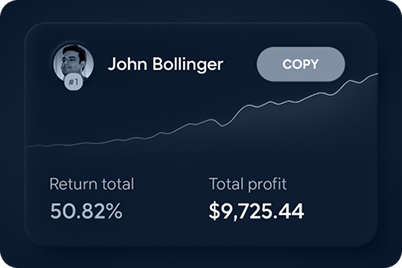
<h3>Brief history of copy trading</h3> <p>Back in the early 2000s, when online forums were considered the ultimate innovation in communication, traders started using them to share their strategies and ideas. It didn’t take long for brokers to notice this trend and integrate the concept into their trading platforms. While it’s unclear who coined the term “copy trading” first, that’s not what you’re here for. What matters is how it can help you in your trading, so let’s get into it.</p> <h3>Understanding copy trading in modern financial markets</h3> <p>Copy trading is popular among all traders, but it can be a game-changer for newbies. This approach lets new traders automatically copy others’ trades, making markets more accessible. Copy trading saves time and effort and can be quite rewarding in terms of free education, as you learn from the best.</p> <p>In this guide, you’ll learn how copy trading works, its pros and cons, and best practices to help you optimise your strategies. You’ll also discover how to leverage ThinkMarkets’ copy trading platform, ThinkCopy, to make smarter trading decisions.</p> <h2>What is copy trading?</h2> <h3>Definition of copy trading</h3> <p>Copy trading is an automated process that lets beginners replicate trades from experienced traders. Instead of spending time analysing markets and manually opening positions, traders can choose who to follow and copy all or some of their trades in real time.</p> <h3>Differences between copy trading, social trading, and mirror trading</h3> <ul> <li>Copy trading – A direct approach to copying advanced traders' activity in real time. It lets you automatically replicate trades, making it ideal for beginners or those who prefer a more passive trading style.</li> <li>Social trading – Involves interacting with other traders in a community-driven environment. It’s valued for its educational benefits, as beginners can watch, learn, and engage with experienced traders to refine their strategies.</li> <li>Mirror trading – A more automated approach that replicates other traders’ strategies rather than individual trades.</li> </ul> <h2>How does copy trading work?</h2> <h3>The role of copy trading platforms</h3> <p>Copy trading platforms simplify the process of following top-performing traders. The most important factor when choosing a platform is ensuring it’s provided by a highly regulated broker. It should also be transparent, offer reliable execution, and feature a wide range of traders to copy. ThinkCopy meets all these criteria and is available on both MT4 and MT5.</p> <h3>Process of selecting a trader to copy</h3> <p>When choosing a trader, consider the following aspects:</p> <ul> <li>Performance history</li> <li>Risk level</li> <li>Trading strategy</li> <li>Assets traded</li> <li>Consistency of profits</li> </ul> <p>Once you’ve taken each of these factors into consideration, you can easily visit the Leaderboard in ThinkCopy, browse all the advanced traders there, and choose the one that best fits your trading strategies and preferences.</p> <p><img alt="show our leaderboard with the variety of traders to choose to copy from" src="/getmedia/01cd592b-d375-46c9-99f2-417d72da2637/Articles-Trading-tools-Copy-Trading-leaderboard-picture.png" /></p> <h3>Allocation of funds and risk management</h3> <p>It’s up to you to decide how much capital you want to allocate for copy trading, but to start using ThinkCopy you must make a minimum deposit of $100 (or equivalent in local currency). After creating your ThinkCopy account, you can fund your account with any amount, using your preferred payment method.</p> <p><img alt="show payment methods in Thinkcopy" src="/getmedia/2793839f-50bc-4116-8ac5-cb00f943004c/Articles-Trading-tools-Copy-Trading-screenshot.png" /></p> <h3>Monitoring and adjusting copied trades</h3> <p>Copy trading is a passive approach, as someone else is trading on your behalf, but it’s best not to leave your copied trades completely unmonitored. Regularly reviewing them and adjusting settings based on performance is essential for long-term potential profits.</p> <h2>Advantages of copy trading</h2> <ul> <li>Ideal for beginners – You don’t need in-depth market knowledge to copy trade - newbies can start immediately.</li> <li>Saves time – No need to analyse the markets for hours; simply pick the right trader for your preferences and copy their trades instead.</li> <li>Opportunity to learn – It's inevitable: you watch, you learn. Following expert traders lets you learn directly from the best, improving your own knowledge over time.</li> <li>Diversification – You can copy multiple traders across different asset classes, allowing you to diversify your portfolio.</li> </ul> <h2>Disadvantages of copy trading</h2> <ul> <li>Risk of loss – Copying advanced traders doesn’t guarantee profits every time. Even the best traders experience losses occasionally.</li> <li>Lack of control – You rely entirely on someone else’s decisions. Your risk tolerance may not be the same as theirs.</li> <li>Performance variability - Past performance does not guarantee future results – this needs to be tattooed on your hand. Markets change, and strategies that worked before may not work next time.</li> <li>Fees and commissions – Signal providers, the traders you are copying, charge a performance fee which can be up to 50%</li> </ul> <h2>Choosing the right copy trading platform</h2> <p>When selecting a copy trading platform, consider the following:</p> <ul> <li>Regulation and security</li> <li>Transparency of trader performance</li> <li>Customisation options for managing risk</li> <li>User-friendly interface</li> <li>Compatibility with MT4 and MT5 trading platforms</li> </ul> <p>ThinkMarkets offers ThinkCopy, an advanced copy trading platform that works seamlessly with both MT4 and MT5. ThinkCopy provides a secure and transparent environment for traders to copy successful strategies and lets you replicate trades from multiple advanced traders.</p> <h2>Selecting traders to copy</h2> <p>Criteria for evaluating potential traders</p> <ul> <li>Performance - Make sure you check your preferred trader’s history before you start following them.</li> <li>Risk level - Check their drawdowns and risk-reward ratio.</li> <li>Trading style - Choose a strategy that aligns with your investment goals.</li> <li>Consistency – Avoid advanced traders with sporadic profits and losses.</li> </ul> <h2>Best practices for successful copy trading</h2> <ul> <li>Diversify your choices - Copy multiple traders to reduce risk.</li> <li>Have a risk management strategy - Define stop-loss limits and adjust trade sizes based on your preferences.</li> <li>Monitor your copy trades frequently - Regularly review performance and adjust as needed.</li> <li>Stay curious and informed - Copy trading is automated, but make sure to regularly keep up with market trends to help improve your decision-making.</li> </ul> <h2>Conclusion</h2> <p>Copy trading provides a way for beginner traders to enter the financial markets by leveraging the experience of pro-traders. While it’s a fully automated process, one must pay attention when selecting the right traders to copy from and be sure to frequently monitor performance. ThinkCopy offers a seamless, secure, and effective platform to get started with copy trading on MT4 and MT5.</p>

How to effectively use Signal Centre trading signals
<p>Tired of guessing when to buy and sell? Signal Centre, an FCA-regulated provider, can help you trade more efficiently by providing clear trading signals, helping you make informed decisions.</p> <p>ThinkMarkets offers access to Signal Centre's trusted signals to enhance your trading experience.</p> <h2>Essential factors for traders</h2> <p>Successful trading requires a systematic approach. This means having clear entry and exit points, as well as defined stop-loss and take-profit levels.</p> <p>Emotions can easily cloud your judgement, so it’s important to develop a trading plan and stick to it.</p> <p>Equally important is risk management—know how much to risk per trade to protect your capital and keep losses under control.</p> <h3>How do trading signals work?</h3> <p>Trading signals are recommendations on when to buy or sell an asset. These signals are based on thorough analysis and help traders decide when to enter or exit trades, minimising uncertainty and maximising opportunities.</p> <h3>What are the benefits of using trading signals?</h3> <p>Trading signals help simplify the decision-making process.</p> <p>They reduce the emotional aspect of trading by providing clear, objective recommendations.</p> <p>Signals also save time for traders by eliminating the need for extensive research and analysis.</p> <h3>Types of trading signals</h3> <ul> <li><strong>Forex signals:</strong> Guide traders on currency pairs, helping them make decisions in the forex market.</li> <li><strong>Stock signals:</strong> Provide recommendations for buying or selling individual stocks.</li> <li><strong>Commodity signals:</strong> Include assets like gold, silver, and oil, giving insight into commodity trading opportunities.</li> <li><strong>Crypto signals:</strong> Offer guidance on popular cryptocurrencies such as Bitcoin and Ethereum.</li> <li><strong>Index signals:</strong> Cover major indices, helping traders navigate markets like the DAX, NASDAQ, and more.</li> </ul> <h3>Who is Signal Centre?</h3> <p>Founded in 2007, Signal Centre is FCA-licensed and has earned a reputation for collaborating with brokers. They stand out due to their track record of over five years of verifiable signals performance.</p> <p>FCA regulation adds credibility, ensuring you are working with a legitimate provider. Signal Centre’s signals are based on data manually collected from thousands of trades, minimising errors over time.</p> <h3>What are the benefits of using Signal Centre signals?</h3> <p>Signal Centre’s trading signals provide insights, helping you determine when to enter and exit trades based on thorough analysis.</p> <p>Signal Centre’s signals help you trade with greater confidence while minimising guesswork.</p> <p>Additionally, these signals include clear risk management strategies to help protect your investments.</p> <h2>How to access Signal Centre signals</h2> <h3>Signal Centre dashboard</h3> <p>ThinkMarkets clients can access Signal Centre’s trade ideas through ThinkPortal, MT4, or MT5 platforms after depositing a minimum of $100.</p> <p>The dashboard allows you to filter signals by asset class, confidence score, and trade type.</p> <p>The confidence score reflects how strongly the analyst believes in the profitability of the signal.</p> <p>Each signal includes detailed information such as entry price, stop-loss, take-profit levels, and analysis.</p> <p>A visual chart is included to help you understand the analysis better. With the "Trade Now" button, you can easily place trades with pre-filled details on the MT4 or MT5 platform.</p> <h3>Understanding performance metrics</h3> <ul> <li><strong>Return:</strong> Percentage gain on an investment.</li> <li><strong>Drawdown:</strong> Maximum decrease in account value from a peak.</li> <li><strong>Win rate:</strong> Percentage of winning trades.</li> <li>R<strong>isk-to-reward ratio (R):</strong> The ratio of average profit per winning trade to average loss per losing trade.</li> <li><strong>Trades:</strong> Number of signals issued.</li> </ul> <h3>Risk per trade</h3> <p>Managing risk is key to successful trading.</p> <p>For instance, with a $3,000 account, risking 1% per trade means your maximum stop-loss would be $30.</p> <p>The difference between your entry point and stop-loss will determine the position size required to maintain the desired level of risk.</p> <h3>Signal Centre signals performance</h3> <p>Signal Centre issues around 40 signals daily, which expire within 24 hours.</p> <p>Signal Centre’s signals have performed particularly well in certain indices, such as the DAX, Nikkei, NASDAQ 100, and China A50.</p> <p>In the forex market, AUD/JPY, EUR/GBP, and EUR/NZD are among the best performers, while assets like Ripple, Bitcoin, and silver have also shown strong results.</p> <h2>Conclusion</h2> <p>Signal Centre offers a unique combination of features: a regulated provider, a proven track record, and easy-to-use tools.</p> <p>ThinkMarkets clients can benefit from Signal Centre’s reliable signals to support successful trading.</p> <p>While no strategy can guarantee future results, Signal Centre provides reliable support for traders seeking a structured approach.</p>